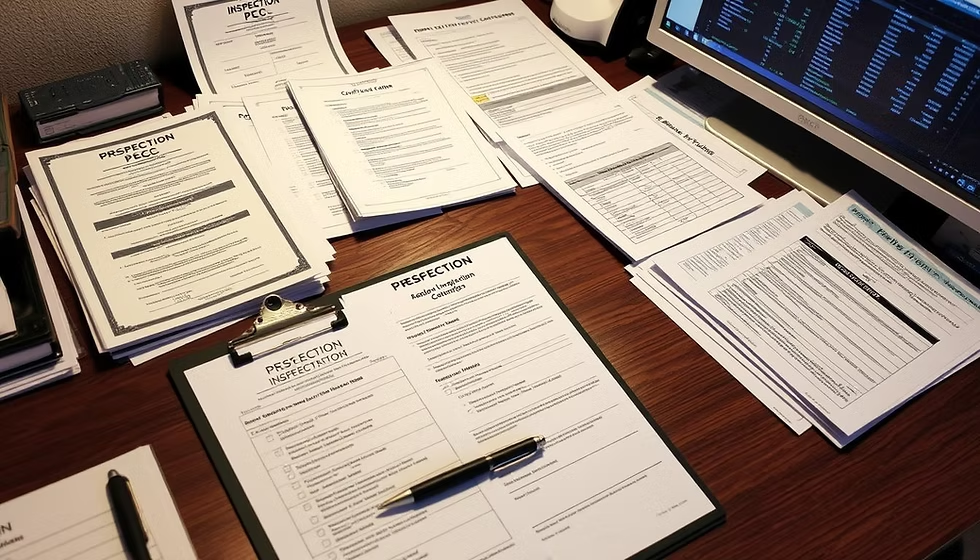
This guide gives a complete, step‑by‑step PSC application documents checklist for Kenya: the exact documents you need for PSC job adverts, how to prepare certified and scanned copies, Chapter Six compliance items, portal upload tips, and a printable checklist to use before you hit submit.
Table of Contents
Who should read this
This post is for fresh graduates, diploma and degree holders, career changers, and public service applicants who want a clear, practical roadmap to gather and organise every document required for PSC vacancies.
Quick overview: why a documents checklist matters

A complete, well‑organised documents pack prevents disqualification, speeds up vetting, and makes shortlisting smoother. Use this PSC application documents checklist before you apply so you don’t miss mandatory items like ID, academic certificates, or Chapter Six clearances.
Mandatory documents every PSC applicant must have
1. Personal identification documents
- National ID or Passport — certified copy and a scanned PDF for upload.
- KRA PIN Certificate — tax compliance is often requested during vetting.
- Passport‑size photos — recent, plain background; follow advert specs.
2. Academic and professional certificates
- KCSE / KCPE / Certificate / Diploma / Degree — certified copies and scanned originals.
- Transcripts — where the advert asks for them.
- Professional licences and certificates (e.g., CPA, ICT certifications) — include expiry dates and registration numbers.
3. Updated CV and cover letter
- PSC‑friendly CV — reverse chronological, keyword‑matched to the advert; save as PDF unless portal requires DOCX.
- Tailored cover letter — one page linking your experience to the advert’s key requirements.
4. Referees and reference letters
- Referee contacts — names, positions, phone numbers, and emails; provide two to three referees.
- Reference letters — if requested, on official letterhead and signed; ask referees in advance.
5. Chapter Six and statutory compliance documents
- EACC clearance or declaration where required.
- KRA Tax Compliance Certificate — current and downloadable from KRA portal.
- HELB clearance (if applicable) and CRB/Police clearance when the advert or vetting stage requests them.
6. Employment and experience proof
- Appointment letters, promotion letters, and employment certificates — signed and dated; include service duration and job title.
- Pay slips or P9 forms — when experience or salary history is relevant.
7. Medical and other PSC forms
- Medical examination form — if the advert or appointment requires it.
- Declaration of income, assets and liabilities — prepare if vetting or appointment asks for it.
How to prepare certified copies and scans
Certification standards
- Get copies certified by a Commissioner for Oaths, Magistrate, or a recognised public officer. Ensure the certifier signs, stamps, and dates each page.
Scanning and file format tips
- Scan at 300 dpi; save as PDF.
- Keep file sizes under portal limits (compress if necessary).
- Use clear filenames:
ID.pdf,Degree.pdf,CV.pdf. - Avoid special characters in filenames; use hyphens or underscores.
Order of uploads
- Follow the portal’s required upload order (commonly: ID, academic certificates, CV, cover letter, referees). Uploading in the wrong order can cause portal validation errors.
Chapter Six compliance — what to prepare early
Typical Chapter Six items
- EACC declaration or clearance (if requested).
- KRA tax compliance certificate.
- HELB clearance (if applicable).
- Police/CRB clearance for roles requiring security vetting.

When to get them
- Start obtaining these documents as soon as you see the advert; some clearances take weeks. Keep digital copies ready for upload and certified hard copies for interviews and vetting.
PSC portal upload checklist and common portal issues
Before you start the online form
- Complete your profile fully: personal details, education, work history, and certificates — incomplete profiles can block submission.
- Have all scanned PDFs named and organised in one folder.
While filling the form
- Copy the advert reference number exactly into the application.
- Paste concise, role‑specific achievements into experience boxes; avoid long paragraphs.
- Save answers offline (a Word doc) in case of session timeouts.
After submission
- Confirm the portal shows a submission receipt or reference number; screenshot it and save the PDF advert for your records.
- If upload fails, check file type, size, and filename; compress or re‑scan if needed.
Timelines — when to prepare each document
Suggested timeline
- At advert release: download advert PDF, confirm required documents, and start Chapter Six clearances.
- 1–2 weeks before closing: finalise scans, certify copies, and tailor CV/cover letter.
- Submission day: upload early to avoid peak‑time portal slowdowns and session timeouts.
Common mistakes that lead to disqualification
- Uploading uncertified copies when the advert requires certification.
- Submitting poor‑quality scans or wrong file formats.
- Missing mandatory documents listed in the advert (e.g., transcripts, licences).
- Applying for roles outside your minimum qualification or without required professional registration.
- Failing to include the advert reference number or using inconsistent names across documents.
Troubleshooting: rejected uploads and re‑advertised jobs
If your application is rejected or incomplete
- Compare your submission with the PSC application documents checklist and the advert PDF.
- Correct file formats, filenames, and missing items; reapply if the advert allows.
- If you suspect a portal error, gather evidence (screenshots, submission receipts) and follow the portal’s support process.
When a job is re‑advertised
- Read the new advert carefully for changes in required documents or closing dates. Update and re‑submit corrected documents before the new closing date.
Printable documents checklist (use before you submit)
- ID / Passport (certified copy)
- KRA PIN certificate
- Academic certificates and transcripts (certified)
- Professional licences / certificates
- Updated CV (PDF)
- Tailored cover letter (PDF)
- Referee contacts and reference letters
- Employment letters / appointment letters
- Medical form (if required)
- EACC / HELB / CRB / Police clearance (if required)
- Screenshots of submission receipt and advert PDF
Tip: Keep both digital and certified hard copies ready for interviews and vetting.
Related resources and next steps
- For help with formatting your CV, see CV format for PSC roles.
- If you need a portal walkthrough, follow PSC portal walkthrough for step‑by‑step guidance.
- Preparing for interviews? Review PSC interview questions and answers and assessment centre tips to convert shortlisting into appointment.
Final thoughts and call to action
Applying for PSC jobs is detail‑driven. Use this PSC application documents checklist to prepare early, certify and scan correctly, and upload in the order the portal expects. Immediate next steps: download this checklist, update your CV using CV format for PSC roles, and run through the PSC portal walkthrough before you submit. Sign up for job alerts so you don’t miss closing dates and shortlisting updates.
This guide gives a complete, step‑by‑step PSC application documents checklist for Kenya: the exact documents you need for PSC job adverts, how to prepare certified and scanned copies, Chapter Six compliance items, portal upload tips, and a printable checklist to use before you hit submit.
Table of Contents
Who should read this
This post is for fresh graduates, diploma and degree holders, career changers, and public service applicants who want a clear, practical roadmap to gather and organise every document required for PSC vacancies.
Quick overview: why a documents checklist matters

A complete, well‑organised documents pack prevents disqualification, speeds up vetting, and makes shortlisting smoother. Use this PSC application documents checklist before you apply so you don’t miss mandatory items like ID, academic certificates, or Chapter Six clearances.
Mandatory documents every PSC applicant must have
1. Personal identification documents
- National ID or Passport — certified copy and a scanned PDF for upload.
- KRA PIN Certificate — tax compliance is often requested during vetting.
- Passport‑size photos — recent, plain background; follow advert specs.
2. Academic and professional certificates
- KCSE / KCPE / Certificate / Diploma / Degree — certified copies and scanned originals.
- Transcripts — where the advert asks for them.
- Professional licences and certificates (e.g., CPA, ICT certifications) — include expiry dates and registration numbers.
3. Updated CV and cover letter
- PSC‑friendly CV — reverse chronological, keyword‑matched to the advert; save as PDF unless portal requires DOCX.
- Tailored cover letter — one page linking your experience to the advert’s key requirements.
4. Referees and reference letters
- Referee contacts — names, positions, phone numbers, and emails; provide two to three referees.
- Reference letters — if requested, on official letterhead and signed; ask referees in advance.
5. Chapter Six and statutory compliance documents
- EACC clearance or declaration where required.
- KRA Tax Compliance Certificate — current and downloadable from KRA portal.
- HELB clearance (if applicable) and CRB/Police clearance when the advert or vetting stage requests them.
6. Employment and experience proof
- Appointment letters, promotion letters, and employment certificates — signed and dated; include service duration and job title.
- Pay slips or P9 forms — when experience or salary history is relevant.
7. Medical and other PSC forms
- Medical examination form — if the advert or appointment requires it.
- Declaration of income, assets and liabilities — prepare if vetting or appointment asks for it.
How to prepare certified copies and scans
Certification standards
- Get copies certified by a Commissioner for Oaths, Magistrate, or a recognised public officer. Ensure the certifier signs, stamps, and dates each page.
Scanning and file format tips
- Scan at 300 dpi; save as PDF.
- Keep file sizes under portal limits (compress if necessary).
- Use clear filenames:
ID.pdf,Degree.pdf,CV.pdf. - Avoid special characters in filenames; use hyphens or underscores.
Order of uploads
- Follow the portal’s required upload order (commonly: ID, academic certificates, CV, cover letter, referees). Uploading in the wrong order can cause portal validation errors.
Chapter Six compliance — what to prepare early
Typical Chapter Six items
- EACC declaration or clearance (if requested).
- KRA tax compliance certificate.
- HELB clearance (if applicable).
- Police/CRB clearance for roles requiring security vetting.

When to get them
- Start obtaining these documents as soon as you see the advert; some clearances take weeks. Keep digital copies ready for upload and certified hard copies for interviews and vetting.
PSC portal upload checklist and common portal issues
Before you start the online form
- Complete your profile fully: personal details, education, work history, and certificates — incomplete profiles can block submission.
- Have all scanned PDFs named and organised in one folder.
While filling the form
- Copy the advert reference number exactly into the application.
- Paste concise, role‑specific achievements into experience boxes; avoid long paragraphs.
- Save answers offline (a Word doc) in case of session timeouts.
After submission
- Confirm the portal shows a submission receipt or reference number; screenshot it and save the PDF advert for your records.
- If upload fails, check file type, size, and filename; compress or re‑scan if needed.
Timelines — when to prepare each document
Suggested timeline
- At advert release: download advert PDF, confirm required documents, and start Chapter Six clearances.
- 1–2 weeks before closing: finalise scans, certify copies, and tailor CV/cover letter.
- Submission day: upload early to avoid peak‑time portal slowdowns and session timeouts.
Common mistakes that lead to disqualification
- Uploading uncertified copies when the advert requires certification.
- Submitting poor‑quality scans or wrong file formats.
- Missing mandatory documents listed in the advert (e.g., transcripts, licences).
- Applying for roles outside your minimum qualification or without required professional registration.
- Failing to include the advert reference number or using inconsistent names across documents.
Troubleshooting: rejected uploads and re‑advertised jobs
If your application is rejected or incomplete
- Compare your submission with the PSC application documents checklist and the advert PDF.
- Correct file formats, filenames, and missing items; reapply if the advert allows.
- If you suspect a portal error, gather evidence (screenshots, submission receipts) and follow the portal’s support process.
When a job is re‑advertised
- Read the new advert carefully for changes in required documents or closing dates. Update and re‑submit corrected documents before the new closing date.
Printable documents checklist (use before you submit)
- ID / Passport (certified copy)
- KRA PIN certificate
- Academic certificates and transcripts (certified)
- Professional licences / certificates
- Updated CV (PDF)
- Tailored cover letter (PDF)
- Referee contacts and reference letters
- Employment letters / appointment letters
- Medical form (if required)
- EACC / HELB / CRB / Police clearance (if required)
- Screenshots of submission receipt and advert PDF
Tip: Keep both digital and certified hard copies ready for interviews and vetting.
Related resources and next steps
- For help with formatting your CV, see CV format for PSC roles.
- If you need a portal walkthrough, follow PSC portal walkthrough for step‑by‑step guidance.
- Preparing for interviews? Review PSC interview questions and answers and assessment centre tips to convert shortlisting into appointment.
Final thoughts and call to action
Applying for PSC jobs is detail‑driven. Use this PSC application documents checklist to prepare early, certify and scan correctly, and upload in the order the portal expects. Immediate next steps: download this checklist, update your CV using CV format for PSC roles, and run through the PSC portal walkthrough before you submit. Sign up for job alerts so you don’t miss closing dates and shortlisting updates.